Unity production · Persistent progression
Unity Save System: Define Progress, Recovery and Update Acceptance
A successful save button does not prove that returning players keep the right progress. Agree the state contract and update route before commissioning persistence.
A Unity save system preserves the agreed game state between sessions and reconstructs a valid playable state when the player returns. For an owner commissioning a game, the important decisions are what persists, when it becomes durable, which earlier formats remain supported and what the product does when data cannot be loaded. Saving everything in the scene is not automatically the correct scope.
Define persistence as a named part of your Unity game development scope. A local checkpoint, multiple save slots, account-linked cloud progress and server-authoritative inventory are different commitments. Start with the smallest route the product genuinely needs; do not assume that local saving includes cross-device synchronization, backup services or secure online currency.
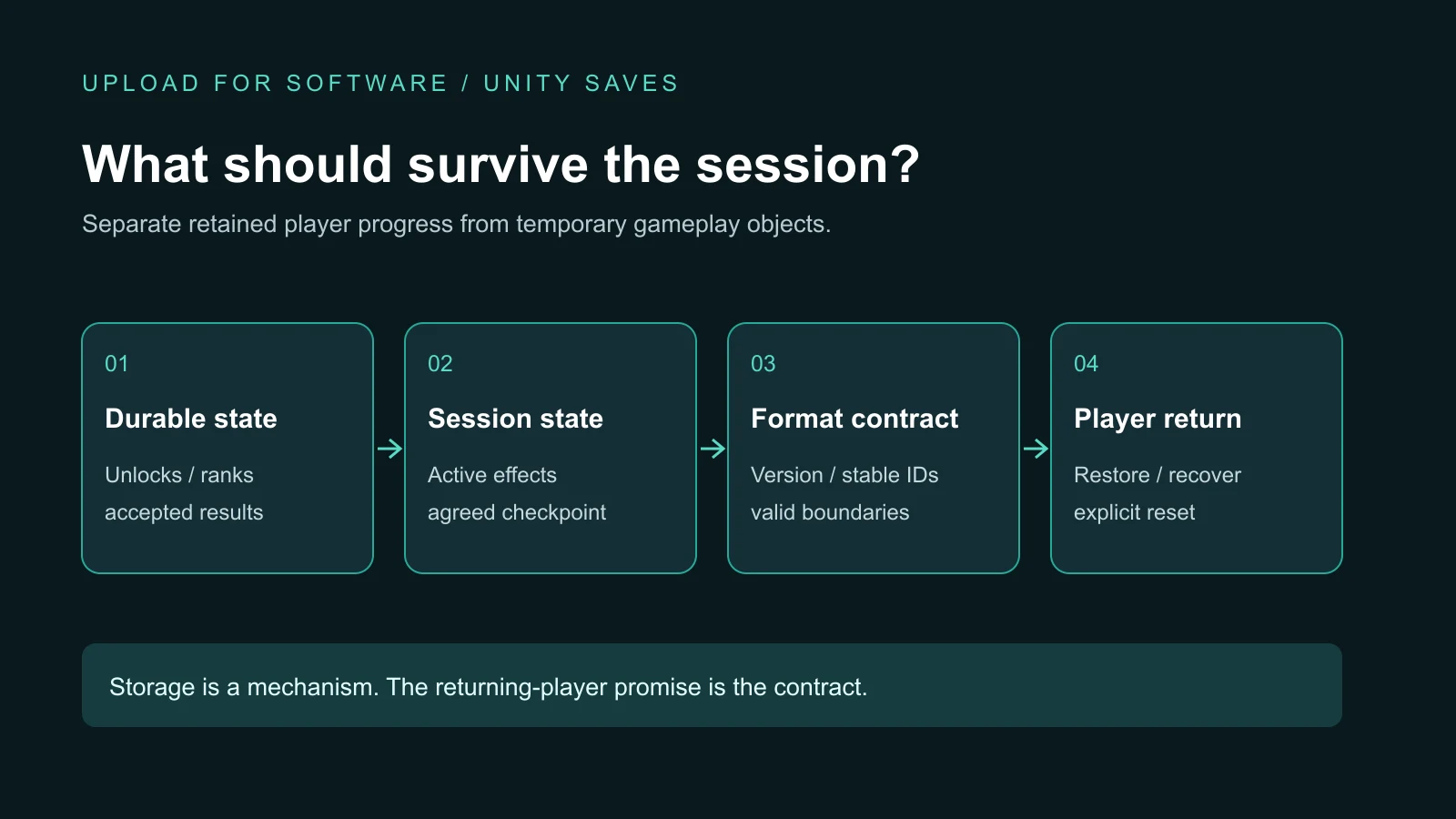
Specify durable state field by field
Begin with the promise to the returning player. Should they resume the current encounter, return to a safe checkpoint or start a new attempt with previously earned upgrades? Each is reasonable for some games. The risk is leaving that choice implicit until the developer and buyer expect different things.
The game design document owns the intended rule. A persistence contract translates that rule into named fields, commit boundaries and restoration behavior. Separate saved progression from presentation objects that can be recreated. A camera animation, pooled projectile or temporary warning often does not belong in long-lived data.
| State | Persistence decision | Returning-player check |
|---|---|---|
| Unlocked mission IDs | Durable stable identifiers, not list positions or display names. | Previously unlocked missions remain available after a content reorder. |
| Owned upgrades | Save accepted ownership and valid ranks together with their format version. | The workshop and gameplay agree about the restored equipment. |
| Active encounter | Checkpoint-only in this example; current projectiles are excluded. | Resume at the agreed checkpoint, not an invented halfway state. |
| Sound preferences | Durable local settings; separate from a new-campaign reset. | Restarting the campaign does not unexpectedly enable muted sound. |
This is a hypothetical specification, not a report that these tests have passed. Add profile or slot ownership only if the product needs it. Name the approved reset action and explain which fields it clears. A new-game button should not silently erase unrelated preferences or another profile.
Separate serialization, storage and authority
Serialization converts selected data into a format. Storage writes and reads it. Authority determines which values the game is allowed to trust. These solve different problems: readable JSON is not a security boundary, and encryption alone does not establish trustworthy rewards.
Unity’s PlayerPrefs reference describes local string, integer and floating-point preferences without encryption. It is unsuitable for sensitive information. A local preference mechanism should not be presented as secure account storage or a server-controlled economy.
The Unity JSON serialization manual explains structured data defined by serializable fields. Parsing a document still does not prove that its values are meaningful for your game. Validate supported versions, identifiers, ranges and relationships before restoring gameplay. Unknown content and invalid numbers need an agreed outcome, not a quiet success message.
Keep reward and purchase transaction rules with the game economy specification and any payment integration. This guide does not replace their duplicate-operation, receipt or authoritative-balance checks. It defines how the resulting supported game state is preserved and restored.
Choose commit points before relying on application exit
Write down which accepted events trigger durable progress: completing a checkpoint, confirming an upgrade or changing a persistent setting. Also state what may remain only in memory until the next checkpoint. “Save on exit” leaves unanswered what happens when the operating system terminates the process without the expected exit route.
Ask the team to explain how it distinguishes requested, committed and failed writes. The interface should not promise saved progress when the commit failed. A candidate implementation can use a last-known-good copy or staged replacement where appropriate, but those mechanisms need platform-specific validation. Do not turn a proposed storage strategy into a universal promise of crash-proof saving.
Record the storage location and application identity. Unity’s persistentDataPath reference documents platform-specific locations and how retaining the bundle identifier preserves the mobile location across updates. This does not prove that changed game code can understand an old file. Removal, user-cleared data and account restoration are separate boundaries to explain.
Define the supported format matrix
A format version is a compatibility decision, not just an integer in JSON. For every previously shipped format, decide whether the candidate build loads it unchanged, converts it through a documented migration or refuses it with a safe player-facing response. Internal experimental formats may have a different policy from formats already used by paying customers.
Suppose a hypothetical version 1 stores the highest completed mission, while version 2 stores stable mission IDs. The team must define how the old number maps to those IDs, what an invalid number means and whether running the conversion twice remains safe. Simply adding the new field can produce an apparently valid empty progression state.
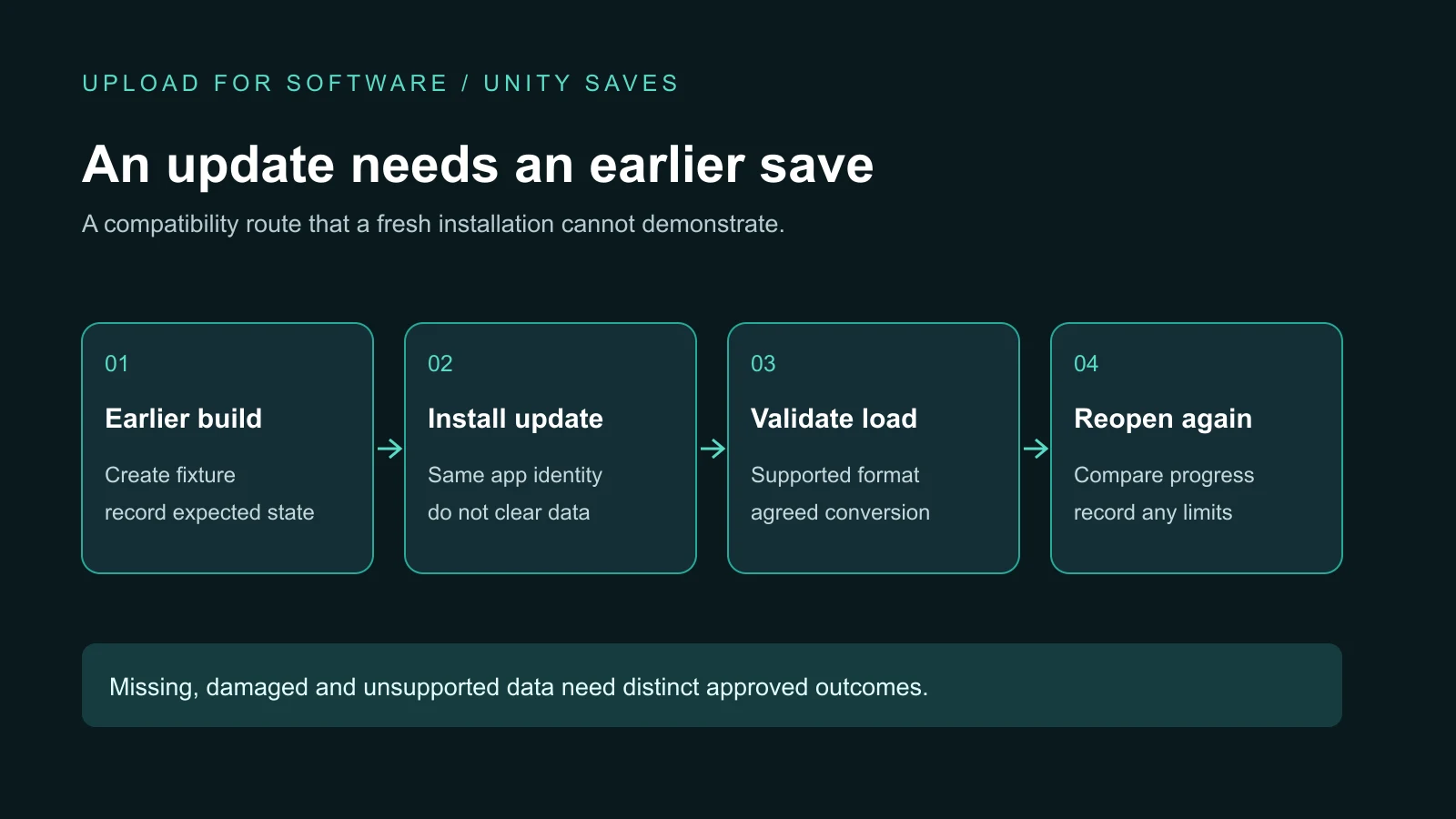
Retain the original input until conversion and validation succeed. Specify whether the new format can still be read by an older client before promising rollback. The Live Ops readiness guide owns release controls; reverting an application build does not automatically reverse a save conversion already committed on a device.
Make recovery a product decision
Distinguish no existing save, damaged data, an unsupported future format and a valid save referencing content that is no longer available. They should not all become “start from zero.” Define whether the game starts a first-run profile, offers a known-good recovery, refuses to continue or asks for explicit reset approval.
A recoverable checkpoint may justify losing a small unsaved part of a session. Durable purchases or account entitlements need a different recovery route and must not be reconstructed from guessed local values. Record what the player sees, what data remains intact and which diagnostic result the team receives without collecting unnecessary personal information.
Request evidence from an earlier build and a real update
Create test fixtures using each supported earlier build, not only hand-written files based on today’s schema. Record build identity, starting state, intended persistent fields and the expected result. Install the candidate through the agreed update path without clearing application data, load it, continue play and reopen it again.
Include an untouched profile, advanced progression, relevant boundary states, missing data and controlled damaged or unsupported fixtures. Use authorized test profiles only; do not corrupt a real customer’s save to demonstrate recovery. A fresh-install success and an editor-only load are useful checks but cannot stand in for compatibility evidence.
The evidence package should show expected versus observed fields, format before and after, devices and platform coverage, known issues and the reset/recovery behavior. The PC build guide covers the wider desktop acceptance route, while the Arabic mobile release checklist covers the broader QA gate.
Keep the implemented capability and its limits visible
Our ROADFORGE Unity production includes local checkpoint and progression persistence, with a versioned data representation and validation before continuing from saved state. It connects retained progression with the workshop and gameplay rather than treating the save as an isolated export.
That is evidence of local implementation capability, not proof of a universal migration library, cloud synchronization or a new cross-device test. A different engagement needs its own supported formats and acceptance fixtures. Deliver the state contract, compatibility matrix, fixture instructions, storage boundaries and known issues alongside the source handover package.
Unity save system questions
What should a Unity save system preserve?
It should preserve agreed durable progression and preferences with stable identifiers and format versions. Transient scene objects belong only if explicitly commissioned. Define when state becomes committed, which reset actions affect it and what a returning player should see.
How do you accept a Unity save system before updating the game?
Create approved fixtures with each earlier supported build, install the candidate update without clearing data, load and reopen it, then compare the agreed fields. Include missing, damaged and unsupported data, and document recovery, reset or refusal outcomes together with the tested devices and known limits.
Scope progression that players can return to
Send your game concept or current Unity build, target platforms, required persistent state and any versions already shipped. We can discuss the local save implementation, update compatibility and reviewable evidence as part of an agreed production scope.
Explore game development services · Discuss your game · Send the brief on WhatsApp