PC game production guide
PC Game Development Company: What to Validate Before Full Production
Compare development partners through native builds, input coverage, hardware evidence, release operations, and a handover your team can reproduce.

Short answer: choose a PC game development company by the evidence it can produce from an actual standalone build, not only by its portfolio. Before full production, define the operating systems, minimum and recommended hardware, keyboard and mouse behavior, controller support, graphics settings, save locations, update path, distribution responsibilities, and source handover. Then require a playable milestone that proves those decisions on a small hardware matrix.
PC development creates freedom and variation at the same time. A project may support different processors, graphics cards, memory budgets, monitor shapes, refresh rates, input devices, operating-system settings, and storefront services. The buying risk is not simply whether the team can export an executable. It is whether the team can turn that variation into a controlled product scope with repeatable builds and acceptance evidence.
Define the PC product before asking for an estimate
Start with the experience rather than the storefront. State the genre, camera, local or online modes, expected session length, target visual style, content scale, save model, accessibility requirements, mod support if any, and the operating systems you genuinely intend to support. “PC” is not one device and “Steam release” is not a technical specification.
Write a target matrix with a minimum machine, a representative mid-range machine, and a higher setting. Record the resolution, aspect ratio, graphics preset, frame-rate behavior and test route for each. If Windows is the only committed platform, say so. Adding macOS or Linux affects native testing, plugins, file paths, graphics APIs, packaging and support; it should be a deliberate scope decision rather than an assumption hidden in the word PC.
Make a native standalone build the first production gate
Editor play mode is useful for iteration, but it is not the buyer’s acceptance artifact. The first commercial gate should end with a named standalone build, its commit or source revision, build configuration, known issues, test route and instructions for reproducing it. Temporary art is acceptable when it still exposes real loading, input, camera and performance behavior.
Unity’s official command-line build documentation describes building players with a target or saved build profile and retaining logs. A company does not need a complex continuous-delivery system on day one, but it should be able to explain which profile created the build, which scenes and definitions it used, where the log is stored, and how a second authorized machine can reproduce the result.
Approve keyboard, mouse, and controller behavior together
Input acceptance is more than mapping a few buttons. Define mouse sensitivity and acceleration behavior, cursor lock and release, remapping, controller detection, device switching, analog dead zones, vibration boundaries, pause behavior, focus loss, text entry, and what happens when a controller disconnects. Menus and gameplay must remain usable without trapping the player between devices.
The current Unity 6 Input System documentation covers keyboard, mouse and gamepad devices through one extensible package. Ask the vendor for an input-action map, a device-switch test and a visible list of actions that can be rebound. The implementation choice matters less than proving that the supported control paths are complete.
Turn graphics options into tested product states
A settings menu is not evidence that settings work. Agree which options are safe for players to change: resolution, display mode, refresh rate, frame limit, vertical sync, render scale, texture quality, shadows, effects and anti-aliasing where relevant. Define defaults for each hardware tier and identify settings that require a restart.
Every option needs a verification route. Check that the value persists, the interface remains visible at supported resolutions, the game returns safely from an invalid or interrupted change, and a low preset actually reduces the intended cost. Avoid promising a frame rate across all PCs. Use the named matrix and scene route to report measured behavior, bottlenecks and the tradeoff made.
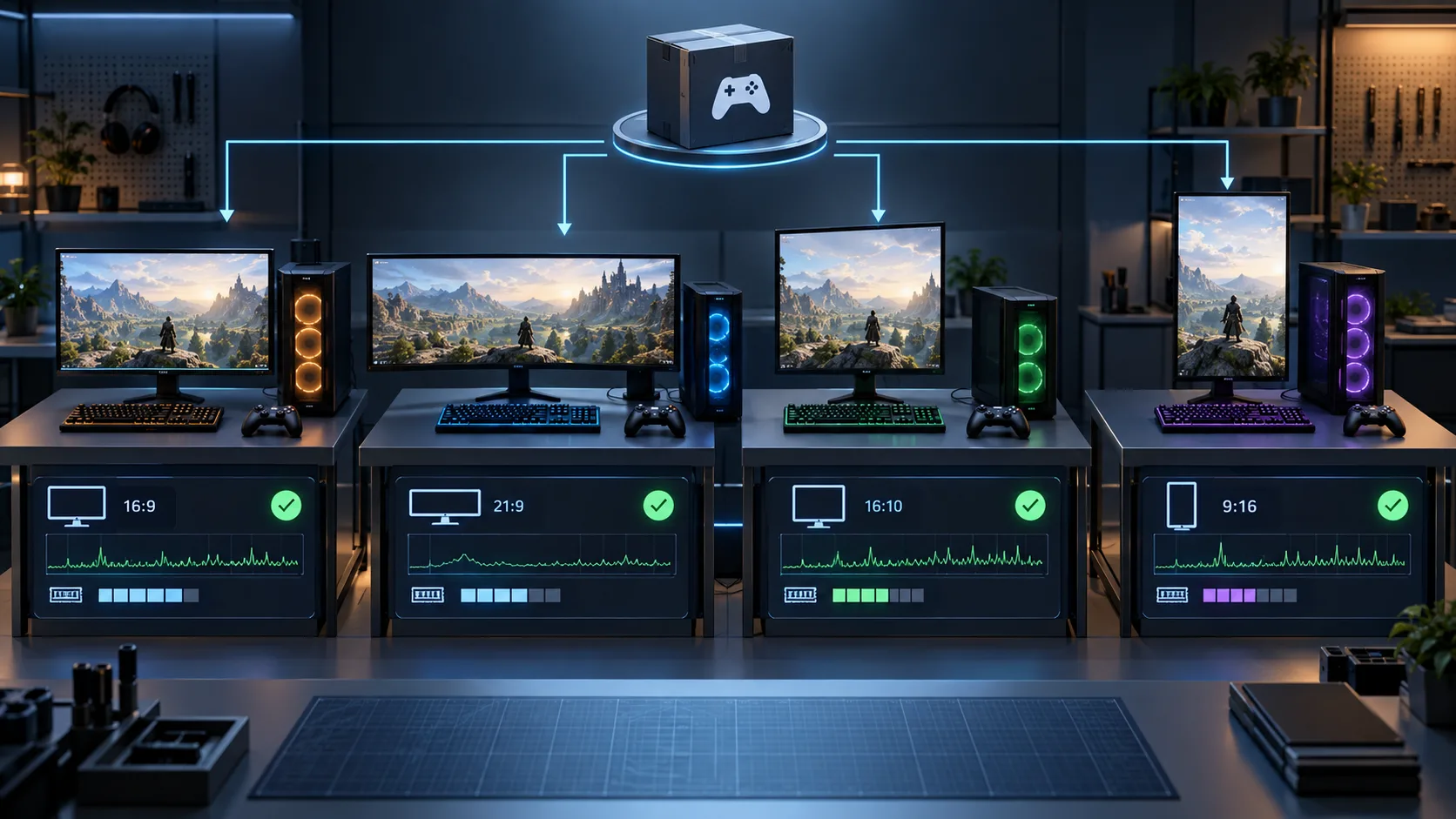
Profile the player build on representative hardware
Set a repeatable route that includes the heaviest combat or simulation state, a dense environment, common transitions, save and load, pause, and a session long enough to expose memory growth. Capture frame time, CPU and GPU pressure where supported, allocations, memory, loading and stutter. Record the build, preset, resolution, driver environment and route so a later capture is comparable.
Unity’s official guidance on collecting performance data on a target platform separates real player-build evidence from editor approximation. Require an issue statement and before/after evidence for important changes. A screenshot of a smooth scene on the studio’s strongest machine is not an acceptance test.
For a slow existing build, the Unity game optimization guide develops bottleneck isolation, bounded changes and tradeoff acceptance beyond the broader PC production gate.
Specify saves, paths, interruption, and recovery
Define what is saved, when it is written, which settings are local, whether multiple profiles exist, and what happens after a crash or interrupted write. Test first run, normal return, update from an earlier build, a missing or damaged file, focus loss, forced exit, and uninstall behavior where the operating system or storefront controls it.
Keep save-format versioning visible. If the data model changes during development, the team should state whether the old format migrates, resets, or becomes unsupported in internal builds. Cloud saves are a separate integration with account and conflict behavior; they should not be implied merely because a storefront offers the feature.
The Unity save system guide expands the persistent-state contract, compatible-format matrix and earlier-build fixtures needed to review an installed update without repeating the broader PC acceptance gate.
Separate game production from storefront ownership
The buyer should own the storefront account, financial and tax information, product identity and final publishing authority. The development scope can include build preparation, depot layout, achievements, cloud-save integration, test branches and technical submission support, but responsibilities must be explicit. No vendor can guarantee approval, visibility or sales.
Official Steamworks getting-started documentation separates partner onboarding, SDK access, build and depot setup, features, store presence and review. Steam’s build documentation also explains uploaded builds, depots, manifests and beta branches. Use those concepts to define who uploads, who authorizes a live branch, how a candidate is tested and which credentials never enter the source repository.
Compare companies through the same paid milestone
Give shortlisted teams the same compact brief and ask for a paid discovery or vertical-slice plan. Compare the assumptions they expose, the build evidence they propose, how they limit platforms, and how they handle hardware variation. A useful milestone reduces uncertainty; it does not merely produce more screens.
| Area | Buyer defines | Company demonstrates |
|---|---|---|
| Build | Target OS, version, branch, milestone purpose. | Standalone player, build log, revision and reproduction steps. |
| Input | Keyboard, mouse, controller and remapping requirements. | Complete action map and device-switch acceptance route. |
| Display | Supported resolutions, aspect ratios and window modes. | Safe interface, persisted settings and recovery behavior. |
| Performance | Hardware tiers, presets, test scene and measurement rules. | Comparable player-build captures and documented tradeoffs. |
| Persistence | Save ownership, profiles, updates and cloud boundary. | First-run, migration, interruption and recovery tests. |
| Distribution | Store account, branches, depots and approval owners. | Candidate packaging and technical upload documentation. |
| Handover | Repository, licenses, credentials and accepted outputs. | Organized source, instructions, settings and known issues. |
For accessibility requirements beyond a hardware checklist, the game accessibility guide explains how to choose interventions around the action a player cannot complete.
Write handover requirements before production starts
The agreement should name the Unity version, repositories, branch rules, build profiles, supported operating systems, third-party packages, asset licenses, native plugins, configuration files, save schema, test hardware, graphics presets, input maps, known issues and distribution boundaries. State which credentials remain outside the repository and how access is transferred or revoked.
Link milestone approval to observable outputs: discovery decisions, a standalone core build, a representative vertical slice, a hardware and input report, a release candidate, and a final source package that another authorized machine can build. Our game project handover guide explains the broader source and ownership package, while the game development brief helps prepare the input before requesting a quote.
Plan a PC game build around evidence you can accept
Send the game loop, target operating system, hardware range, input devices, visual target, online features, content scope and intended distribution channel. We can shape a Unity production plan with build gates, native performance evidence, clear source ownership and handover.
Explore our game development service — discuss your project — send the brief on WhatsApp
PC game development company questions
What should a PC game development company prove first?
It should prove a standalone build that another authorized machine can reproduce, then demonstrate the core loop across the agreed keyboard, mouse and controller paths on a small named hardware matrix. The milestone should include its source revision, build configuration, test route, known issues and acceptance evidence.
How do you compare PC game development companies?
Give each company the same brief and compare a paid milestone. Review how it defines supported systems, hardware tiers, input and display states, native profiling, save and update behavior, storefront responsibilities, source ownership and handover. Compare evidence and exclusions rather than portfolio size alone.
What belongs in a PC game development contract?
Define milestone builds, operating systems, hardware and graphics targets, controls and remapping, online and storefront integrations, save compatibility, repositories, licenses, account ownership, security boundaries, change control, testing, known-issue reporting, source delivery, documentation and final access handover.