Existing-build performance
Unity Game Optimization: Agree the Performance Budget Before the Fix
Commission a focused performance iteration with a repeatable baseline, a tested bottleneck and quality boundaries your team can actually accept.
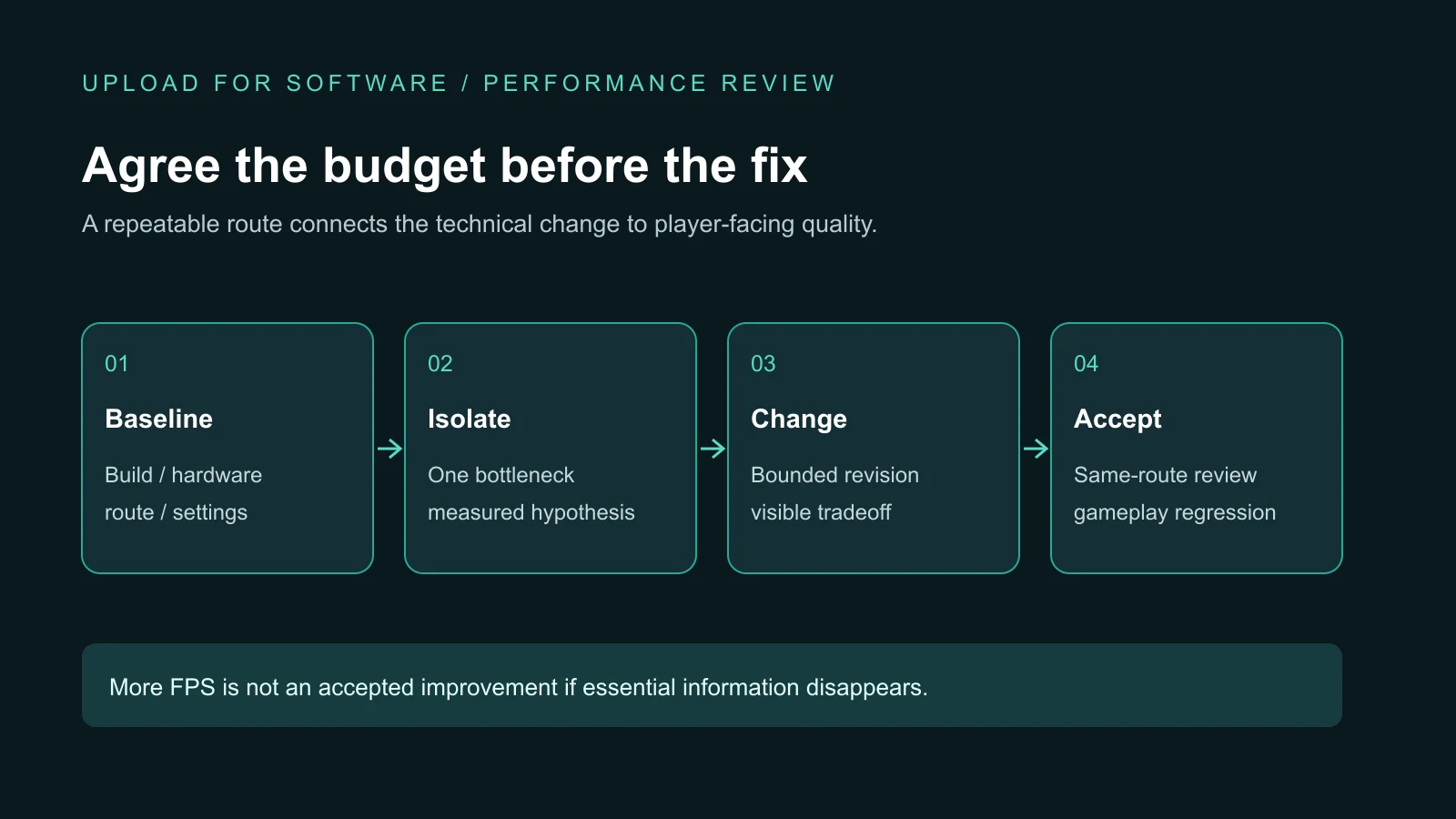
Short answer: Unity game optimization should start with a named player build, target hardware, a repeatable gameplay route and an agreed performance budget. Ask the development team to identify the limiting work, test a bounded change, then repeat the same route while checking visuals and gameplay. Do not accept a universal FPS promise or a faster result obtained by silently removing essential content.
This guide is for an owner with an existing Unity project that loads slowly, stutters or becomes difficult to play under pressure. It defines what to commission and what evidence to receive. Choosing a partner for an entire game remains a broader decision in our PC game production guide; optimizing a known build is a smaller, measurable scope.
Turn “the game is slow” into a bounded brief
Describe the exact failure before suggesting a fix. Does the problem occur during combat, when a new scene opens, after several retries, or only on a lower hardware tier? State whether the player sees uneven movement, delayed controls, a frozen loading screen, increasing memory use or a sustained frame-time problem. These are different observations and may require different investigations.
Supply the Unity version, source revision, player build, target operating system and supported device or hardware range. Include reproduction steps and the quality preset used. Define what must stay intact: target visibility, important effects, input response, progression, saves and the approved art direction. A useful first milestone is a diagnosis with a proposed intervention, not an unrestricted rewrite.
Agree a performance budget, not a marketing number
A frame-rate target implies a time budget. As an illustrative calculation, 30 frames per second corresponds to about 33.3 milliseconds per frame, while 60 corresponds to about 16.7 milliseconds. These figures are arithmetic examples, not measured ROADFORGE results or promises for your game. Choose the target per supported hardware tier and gameplay need.
Frame-time consistency matters alongside the average. Agree how repeated spikes will be reported, which scene transitions have loading limits, and what memory behavior is acceptable over a sustained session. Name the observation window and tools. A short run immediately after a cold launch is not comparable to a warm device after a long battle. Unity's project configuration guidance discusses the relationship between frame-rate choices, thermal pressure and resource use.
Freeze the baseline before changing the project
Record the build identity, device, operating system, resolution or render scale, graphics preset, scene, camera, loadout and route. Keep the initial state reproducible: the same save fixture, enemy pressure and sequence of actions. If an online session introduces uncontrolled conditions, state that limit or use a controlled local fixture for the first investigation.
Separate diagnostic captures from player-facing acceptance. Profiling and development options can change measurement overhead. Use them to locate work, then confirm the candidate through the agreed player-build conditions. Report unavailable counters as unavailable; do not fill a missing GPU measurement with a guessed value. A screenshot of the editor's frame counter is not a substitute for target-platform evidence.
Diagnose the limiting work before buying a solution
A slow frame can involve scripts, physics, rendering submission, GPU work, memory allocation or waits elsewhere in the pipeline. The most visible effect is not automatically the most expensive system. A team should connect the observed slowdown to a trace or controlled experiment before proposing pooling, new shaders or different assets.
For example, reducing render scale while keeping the same scene can help investigate sensitivity to pixel workload. It does not prove every slowdown is GPU-bound. Disabling a costly visual feature temporarily can isolate its contribution; that diagnostic state is not necessarily a shippable result. Unity's GPU optimization guide explains rendering tradeoffs and recommends evaluating the build rather than transferring editor results directly.
Change one cause and record the tradeoff
Require each candidate to have a hypothesis, a bounded change and a rollback path. If the team changes textures, shadows, scripts, scene layout and resolution together, the new result may be faster without showing which change mattered. A controlled comparison makes the next decision less expensive and helps reject a change that merely moves cost elsewhere.
| Candidate | Evidence to compare | Quality boundary |
|---|---|---|
| Reusable effects or objects | Creation pressure, allocations and lifecycle behavior on the same busy route. | No stale effect, missing shot, duplicated damage or leaked active object. |
| Render scale, shadows or distant detail | Frame-time behavior at identified settings and camera positions. | Readable threats, stable silhouettes and approved visual differences. |
| Asset import or loading changes | Memory, loading transitions and relevant build output. | No missing asset, incompatible format or unsafe unload. |
| Script or physics changes | Identified CPU work and repeatable gameplay observations. | No change to input, collision, timing or intended game rules. |
These are review patterns, not a prescription to apply every technique. Pooling can retain memory; reducing detail can affect readability; changing loading behavior can move work into a transition. The accepted intervention must address the measured problem within the game's own constraints.
Check what the player loses, not only what the counter gains
Repeat the visual review at the intended camera distance and on the supported screen. Enemy cues, projectiles, interactable objects and interface text must remain readable. Compare screenshots or video under the same conditions. Record approved differences rather than describing a reduced-quality preset as identical to the baseline.
Also repeat gameplay paths touched by the change. Effects reuse needs reset checks; timing changes need weapon and input checks; memory changes need repeated entry and exit. Test pause, resume, retry and save continuity where relevant. The wider mobile game release checklist covers launch readiness; this optimization review does not replace that gate.
What ROADFORGE demonstrates—and what it does not
In ROADFORGE's Unity production, performance work includes bounded reusable muzzle effects, demand-driven workshop preview rendering and adaptive world rendering on low-end hardware. These choices connect technical cost to the actual combat and interface instead of treating optimization as a list of unrelated switches.
The published case study distinguishes a one-hour Android stability run around a 15 FPS target from a universal 30 or 60 FPS result. That distinction is essential: a successful stability session supports only its recorded build, device and route. A new project's target needs its own baseline, intervention and acceptance evidence. No benchmark improvement should be inferred from the existence of an optimization system alone.
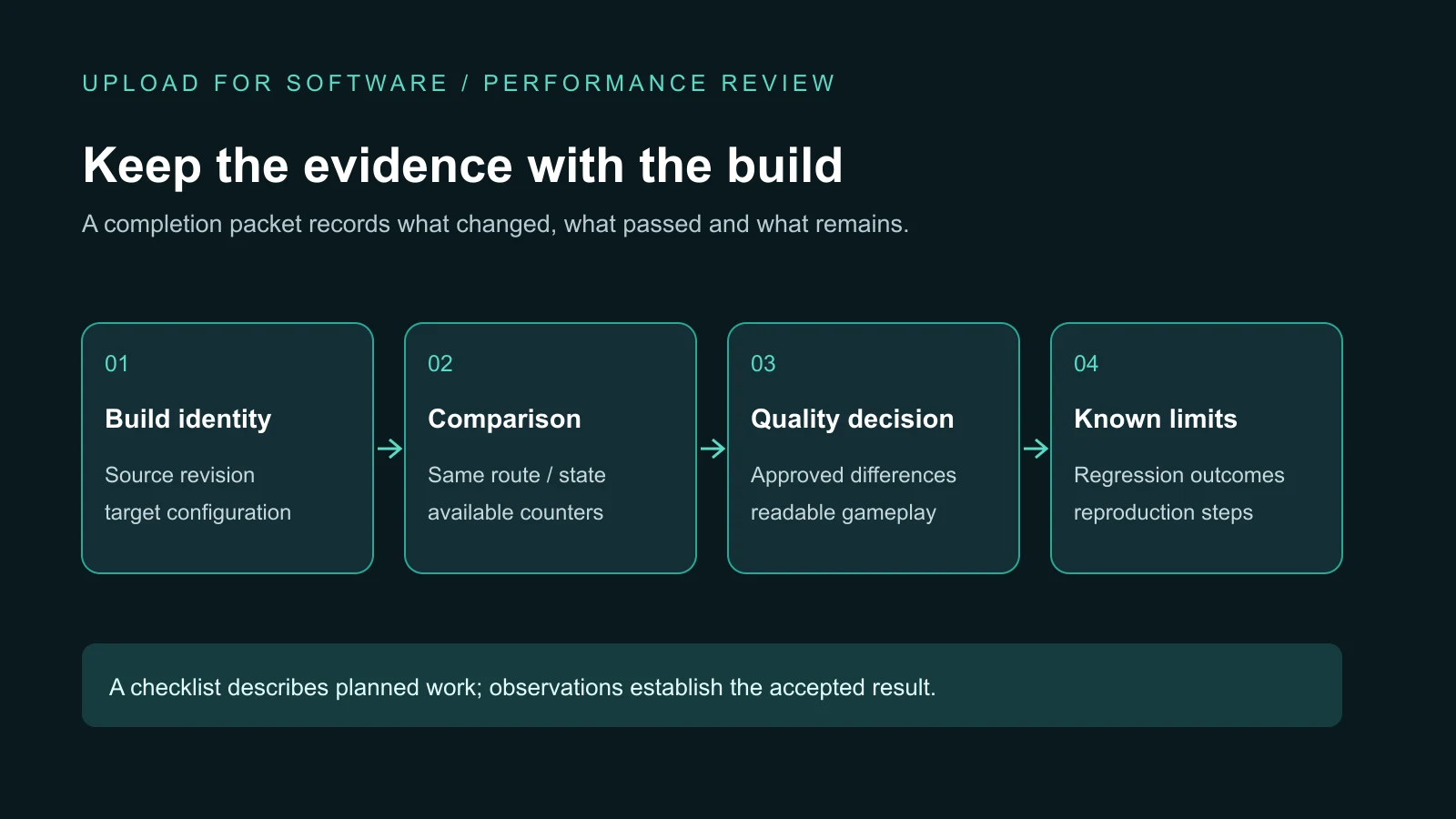
Define completion before approving the iteration
Request a compact completion packet: baseline and candidate build identities; supported hardware and settings; comparable captures; the bottleneck hypothesis; changes made; approved visual differences; regression outcomes; remaining issues; and reproduction instructions. Link the evidence to the source revision so a later team can reproduce or reverse the change.
Set a stop condition. If the agreed target cannot be reached without changing content or hardware support, the milestone should end with that finding and a scoped decision—not endless unrecorded adjustments. Source ownership and delivery requirements belong in the game source handover guide. The optimization packet is an additional record of why this particular build was accepted.
Plan a focused Unity performance iteration
Send the existing build, source availability, target hardware, slow gameplay route and quality boundaries. We can scope the diagnosis, implementation and acceptance evidence before expanding the work.
Explore Unity development services — discuss your project — send the brief on WhatsApp
Unity game optimization questions
Is Unity CPU or GPU heavy?
It depends on the game, scene, hardware and configuration. Scripts, physics and rendering submission can limit CPU work, while shaders, pixel workload and other rendering costs can limit the GPU. Profile the target player build and test a controlled change before deciding which system needs optimization.
Why are Unity games so laggy?
A Unity game can stutter because of expensive work, allocation spikes, loading, rendering pressure or unstable frame pacing, among other causes. Reproduce the problem in a named build on target hardware, capture the affected route and isolate the limiting work. Changing unrelated settings without a baseline can hide the symptom without establishing a reliable fix.