Mobile games · Integration acceptance
Unity Ads Integration: What to Test Before Release
An ad that appears in a test build is not a finished integration. Before accepting Unity Ads work, define each placement, the exact condition for granting a reward, the behavior when no ad is available, privacy choices and the evidence the team must deliver.
Unity Ads integration is the work of connecting ad placements to a Unity game's interface, lifecycle, privacy choices and reward rules. The useful deliverable for a buyer is a build whose success and failure paths can be reproduced on real devices. Ask for a placement contract, a reward state machine, a test matrix and ownership of the ad accounts and configuration.
This guide is for a game owner commissioning development or adding ads to an existing product. It focuses on accepting implementation. The game economy design guide owns resource balance and progression decisions; it does not define whether an ad callback legitimately grants a reward. Our game development services can scope the integration alongside the wider game build.
Choose the integration route before estimating work
"Unity Ads" can mean a direct Unity Ads SDK integration or Unity Ads demand inside a mediation setup. Those routes have different package, configuration and test requirements. Record the chosen route, SDK/package version, supported platforms, ad units, dashboard accounts and who may change each setting. Do not treat a placeholder interface button as evidence that either route is connected.
Unity's current direct SDK guidance says the Advertisement Legacy package remains supported but may see reduced performance for direct integrations after 1 April 2026; Unity recommends its LevelPlay mediation package to maximize performance. That is a vendor recommendation, not a promise of revenue. A project already using direct integration may have a migration cost; the team should make the tradeoff explicit rather than silently replacing its stack.
For a new integration, ask the developer to document why the chosen route fits the project's existing packages, consent flow, supported platforms and maintenance plan. A buyer does not need a vague commitment to "add ads"; they need to know which system will be handed over and how it will be tested.
Write a placement contract for every appearance
List each rewarded, interstitial or banner unit separately. For each placement, record the screen, trigger, benefit or interruption, eligibility, cooldown, consent dependency, failure behavior and remote enable/disable owner. An optional rewarded unit and a mandatory interruption should never share an unspecified rule just because both use the same ad provider.
| Placement question | Decision to record | Evidence in the build |
|---|---|---|
| When can it appear? | Named screen and trigger, with exclusions during sensitive gameplay | Screen recording from the approved game flow |
| What does the player get? | Exact reward, limit and destination in the save state | Before and after state tied to one placement |
| What if it cannot load? | Visible unavailable state and safe return to play | No-fill and offline test without a stuck overlay |
| Who can change it? | Dashboard ownership and approved remote controls | Account access and configuration handover |
Set a product-specific frequency rule. A cap should answer how many interruptions are acceptable in a session, which screens remain free of ads, and how quickly the same optional offer may return. Do not borrow a universal "best" number without testing the game's session length and audience.
Reward completion once, and only once
Define the reward as an operation with a stable identity: player, placement, opportunity and attempted show. A tap to watch, successful ad load, ad display and ad completion are different states. The grant should follow the successful reward condition reported by the chosen SDK, after the game's own eligibility checks. In the direct SDK, Unity's rewarded ads guide checks the matching ad unit and a COMPLETED show result before granting the reward. For LevelPlay, use the corresponding reward callback documented for the installed package.
Protect the save operation as well as the callback. A duplicate completion event or a retry after a delayed save must not grant the same reward twice. If the game cannot confirm a save, it should resolve the actual committed state on restart before showing a second grant. The authoritative approach depends on whether the game is offline, single-player or connected; a callback alone is not a transaction database.
A visual confetti animation is not proof. Ask for the reward balance or entitlement before the show, after completion, and after closing and reopening the game. The proof should include the tested build identifier and the ad unit/environment used, without exposing live credentials in public screenshots.
Design failure paths as first-class gameplay
Ads may be unavailable because of network loss, no fill, loading failure, consent state, an invalid unit or a backgrounded application. A safe integration keeps the underlying gameplay usable, restores input and audio state, and never promises a reward it did not grant. The user should understand that no ad is available without getting trapped in a loading overlay.
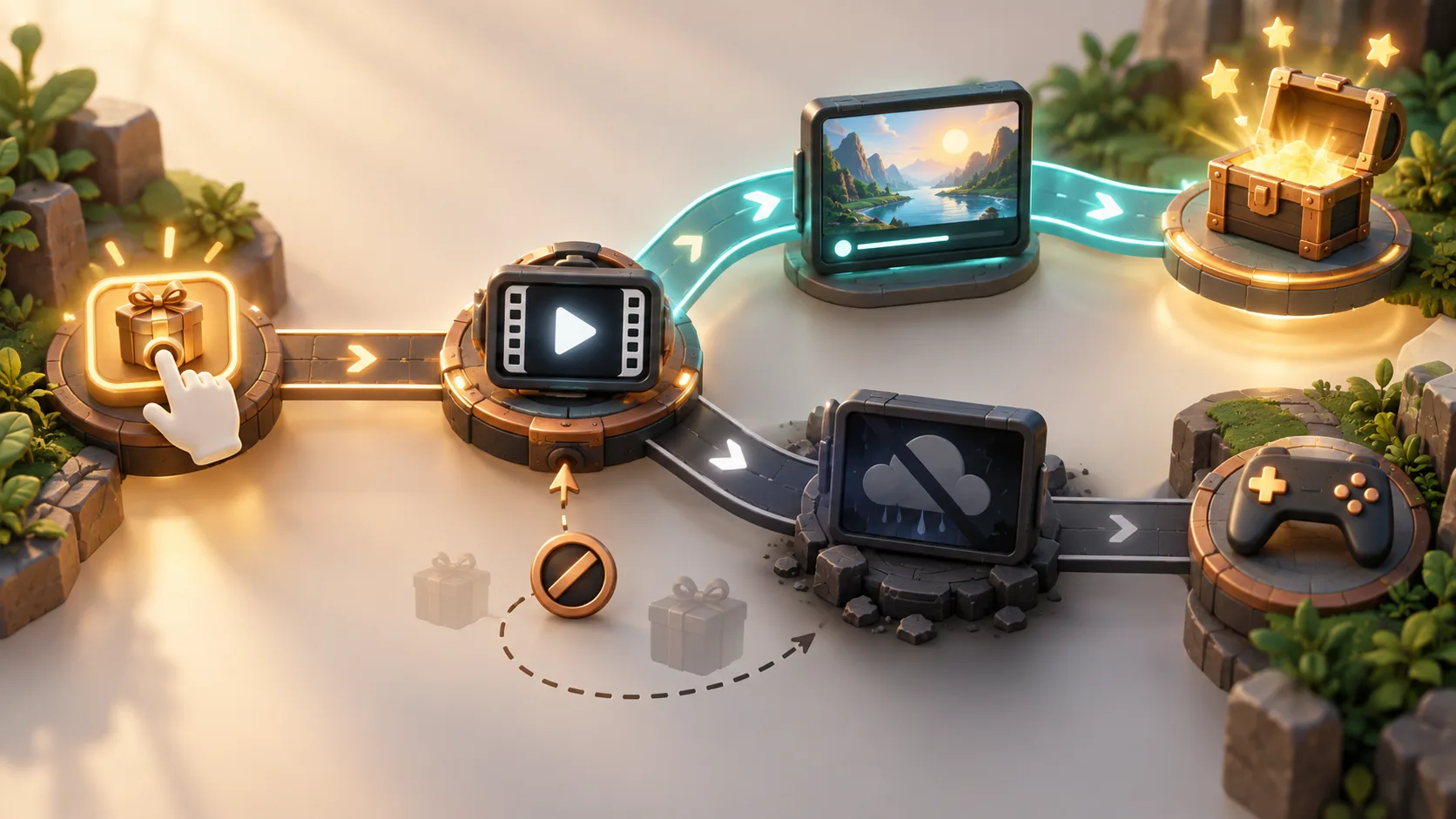
Test skipping, closing, losing connectivity while loading, app pause/resume and returning from the ad. Treat "show started" and "show completed" separately. Define whether a player may try again, whether a preloaded ad expires, and whether a cooldown advances on an attempt or only on a completed show. These are product rules, not assumptions the SDK can choose for you.
| Case | Acceptance result | Evidence to request |
|---|---|---|
| Completed rewarded show | Exactly one intended reward, persisted after restart | Callback trace and before/after saved state |
| Skipped or closed show | No completion reward unless the product contract explicitly defines another outcome | Build video and state comparison |
| Duplicate callback or retry | No second grant for the same opportunity | Repeated event test and operation identity |
| No fill or offline | Game remains usable and player sees a recoverable state | Device test with ad unavailable |
| Pause, orientation or scene transition | Input, audio and navigation return correctly | Platform-specific replay on a real device |
| Remote disable | Placement disappears or becomes unavailable without breaking progress | Controlled configuration switch and rollback |
Use the wider mobile game release checklist for device coverage and regression. The table above is the narrower ad-specific acceptance contract, not a substitute for full launch QA.
Keep test identifiers and live identifiers separated
Ask for a named test environment and a documented route to production. Test ads and live ad units should not be confused across Android and iOS. Check that the team can demonstrate rewarded behavior in a test build without using real users or relying on production ad traffic as the only verification route.
A release candidate needs a configuration review: platform IDs, enabled placements, account ownership, consent integration, remote switches and the final package version. The handover should explain how to disable a troublesome placement rapidly, who approves that action and what the game displays after the switch. Do not publish private keys, app IDs or account credentials in a public article or screenshot.
Record which pieces are code and which can be changed remotely. Changing an ad unit or cap does not mean every behavioral rule is remotely configurable; callbacks, user interface and save rules may require a new build. A rollback plan should therefore specify both dashboard changes and application release steps.
Include consent and store requirements in the scope
Consent needs its own product flow and platform checks. The developer should document when the SDK initializes, what consent state it receives, how a refusal is handled and how that choice can change. Unity's privacy guidance says a custom consent solution must pass applicable consent status to the SDK. The exact legal and store requirements depend on market, age group, data practices and SDK route; confirm those for the specific release rather than copying a generic banner.
Check the current privacy disclosures, SDK declarations and store review requirements before submitting a build. If the game is intended for children or mixed ages, agree the age treatment and supported ad behavior before implementation. Do not assume an ad unit that works in an internal build is automatically suitable for an App Store or Google Play release.
Use analytics to diagnose behavior, not to grant rewards
An ad opportunity, load failure, show, completion and grant can be measured as distinct events. That helps the owner discover missing inventory, repeated attempts or a reward that was granted without a matching completion. Analytics should observe the authoritative gameplay operation; it must not become the mechanism that decides whether a reward exists.
The Unity game analytics guide explains event names, parameters and validation. For this integration, request a small reconciliation report: completed shows versus committed rewards, by build and placement, with privacy-safe identifiers. A discrepancy is a test finding to investigate; a matching aggregate alone cannot prove that every individual player received the correct grant.
What the handover should contain
Accept the integration with a tested Android/iOS build as applicable, a placement map, ad unit/environment inventory, SDK and mediation versions, consent flow, remote controls, reward operation rules, acceptance results and known limitations. Include source code, account ownership and a short procedure for disabling and re-enabling a placement. If the team cannot reproduce a no-fill case or identify who controls live IDs, the handover is incomplete.
Commissioning a game with ads is still commissioning a playable product. Decide the gameplay loop and progression separately from the ad plumbing. If you are planning the wider product, our Unity game development service can turn this acceptance contract into a scoped implementation and test plan.
Unity Ads integration questions
What should be tested in a Unity Ads integration?
Test the chosen SDK route, every ad unit and platform, load and show success, completion and grant, skip and close, duplicate callbacks, no-fill, offline recovery, app pause/resume, consent changes, remote disable and persistence after restart. Record the tested build and evidence for each result.
When should a rewarded ad grant its reward?
After the chosen SDK reports the documented rewarded completion condition and the game's eligibility rules pass. A tap, load or show start is not completion. The game should commit the reward once, handle retries safely and show the committed state after a restart.
How should ad failures behave in a mobile game?
Return control to gameplay, remove any loading overlay, restore input and audio state, explain that the ad is unavailable and avoid granting an unearned reward. Define whether and when the player may try again, then test no-fill and offline cases on real devices.
Make ad behavior testable
Scope the integration before release.
Tell us your Unity version, platforms, current ad stack, planned placements and reward rules. We can define the implementation boundary and acceptance evidence within your game project.
Explore game development services Discuss your project Chat on WhatsApp