Game production · Scene lighting
Game Lighting: Choosing Baked, Realtime or Mixed for Your Project
Choose lighting around what changes during play, what the player must see and the work your project can support.
A lighting reference can show the atmosphere you want without explaining what the development team needs to build. A quiet courtyard at sunset, the same courtyard with a moving torch, and a courtyard with a continuous day–night cycle are three different production requests. They can use similar artwork while requiring different lighting setups and review work.
Choose your game lighting approach around what changes during play. Fixed scenery may suit baked lighting; moving light sources need a runtime solution; a combination can suit a scene with stable surroundings and moving characters. The final choice also depends on the render pipeline, supported hardware and visual priorities. Ask for one representative scene before committing the entire environment to an approach.
This guide is for owners commissioning a Unity game or a lighting pass within an existing project. It explains the decisions to make with the team, rather than prescribing one setup for every device.
Describe what the player must see
Start with the gameplay camera and the important actions. In an exploration game, the player may need to distinguish a doorway from decoration. In combat, a dark silhouette may hide an enemy cue. In a driving game, glare may make the road boundary difficult to read. “More cinematic” does not tell an artist which of these problems to solve.
Choose reference images for their purpose: the mood, the contrast around the route, the treatment of characters, or the appearance of surfaces. Explain which qualities matter and which are optional. A reference with a bright sky and deep black shadows might establish atmosphere while being unsuitable for your small-screen gameplay view.
The Level Design Book's lighting chapter treats lighting as a way to communicate space and direct attention. That is a useful starting point for a buyer: ask what the lighting helps the player understand, alongside how attractive the scene looks.
Understand the three approaches
In Unity, baked lighting calculates lighting data in the editor for use later. It suits stable parts of a scene and trades preparation and stored data for less lighting work during play. It still needs memory and appropriate setup; it is not a promise of a cost-free scene.
Realtime lighting responds during play, making it relevant to a carried torch or a moving light. Its cost depends on the scene and settings, including shadows and overlapping lights. Mixed lighting combines baked and realtime contributions, with behavior depending on the selected mode and configuration. Changing a mixed light does not automatically update its baked contribution.
These are summaries of Unity's Light Modes documentation, for Unity6.0. Ask the team to explain the actual project's pipeline and settings before treating a mode name as a specification.
Compare the request, not just the label
| Your scene requirement | A reasonable starting conversation | What needs special attention |
|---|---|---|
| A fixed room with stable light sources | Baked lighting for the stable environment | Changes to geometry or lighting after approval may require another bake and review. |
| A character carrying a moving lantern | Realtime contribution for the moving source | Readability and shadows along the actual route, on target hardware. |
| Stable architecture with moving actors | A combination of approaches | How actors and scenery look together, rather than reviewing them separately. |
| A changing time of day | A specifically scoped lighting system | Whether the request means continuous change, a few selectable looks, or a simpler visual transition. |
This table is a discussion aid, not a renderer configuration. Two projects can choose different implementations for the same row because their cameras, art direction and hardware limits differ.
A courtyard example: spend effort where it changes the experience
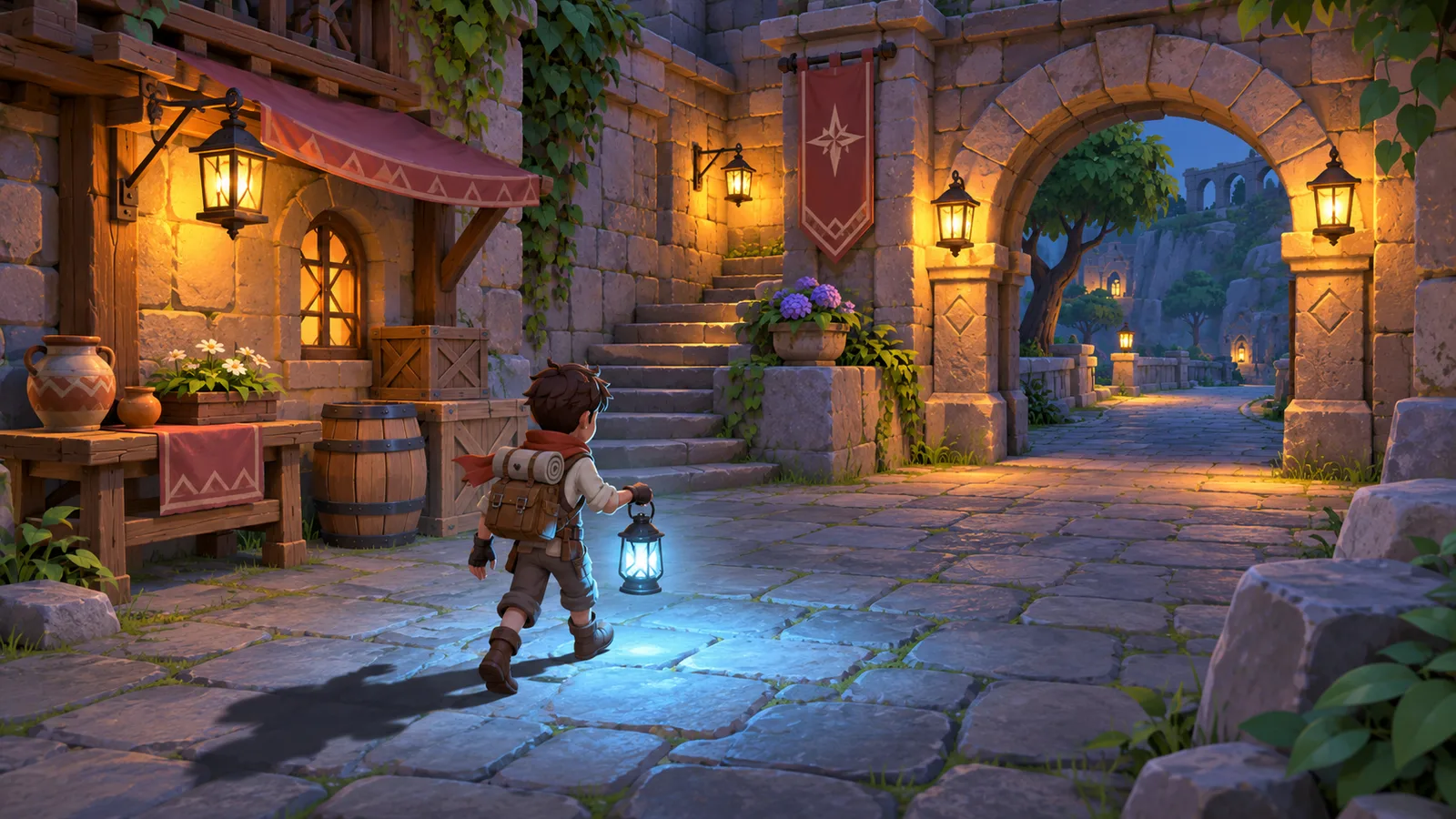
Imagine a small adventure courtyard. Warm wall lanterns guide the player toward a stone arch. A character carries another lantern, and a wooden gate opens when the player finishes a task. This is a hypothetical planning example, not a tested build or a client project.
The first decision is whether the wall lighting ever changes. If it stays fixed, the team can explore a baked treatment for the surroundings. The carried lantern is a different requirement: its position changes, so its effect needs to be considered during play. The opening gate adds another question: should its shadow visibly move, and what should happen to light around the opening?
A low-cost proposal might preserve the fixed atmosphere and simplify the carried light or moving shadow. A more demanding proposal might prioritize those moving contributions. Neither proposal is automatically better. Compare them at the camera distance where the player actually notices the difference.
Now add “the courtyard must transition smoothly from afternoon to midnight.” That changes the brief. It asks the team to handle a changing lighting state, not merely recolor the approved screenshot. Before expanding the work, compare a continuous transition with two selectable scene looks and decide whether the player experience justifies the extra scope.
Ask for a representative lighting pass
Choose a scene that exposes the important decisions early. For the courtyard example, include the arch, the moving character, the gate, a dark corner and a reflective surface. A beautifully lit empty room would leave several of those questions unanswered.
Review the pass from the gameplay camera, including the places where the player turns or moves between light and dark areas. Ask for a short playable build or a clearly identified capture from it. A still image can establish art direction, while movement reveals changes that an image cannot show.
Keep the initial environment production brief available during this review. Its scale, surfaces and camera assumptions remain relevant. If those inputs change, discuss whether the lighting pass needs revision before approving more scene work.
Make the quote explain the work
A useful quote separates what already exists from what the team will create. Is this lighting an approved environment, correcting an imported scene, or producing the environment and lighting together? Are material adjustments included? Who supplies the intended Unity version and render pipeline?
Also clarify the number of scene looks, the moving lights that matter, the supported hardware and the review process. A single approved courtyard look and several different weather or time variants should not be compared as equal deliverables.
Avoid approving performance from a promotional image. Ask for evidence from the agreed target build and hardware when performance is part of the milestone. If an existing game is already slow, use a separate Unity optimization investigation to identify the cause before buying an unrestricted lighting rebuild.
Preserve the result through handover
Request the agreed Unity scene and lighting-related project data, a record of the approved settings, relevant source assets and instructions for reproducing the reviewed look. List external dependencies and any setup another developer must repeat. The point is to make the result maintainable after the artist's review session ends.
Record the build, scene and settings associated with the visual approval. If the next revision changes the camera, environment or pipeline, check the affected views again. Keep any wider source handover requirements with the project rather than treating an exported image as the finished delivery.
Plan the lighting work around your game
Send your gameplay camera, scene references, target devices and the lights or time-of-day changes the player will experience. We can review how the lighting request fits the Unity implementation scope and which environment work needs to be agreed first.
Explore our Unity game development services or 3D environment production, then discuss your project. You can also send the brief on WhatsApp.