3D production · Commissioning decisions
3D Prop Modeling: Commission the Object States Your Game Needs
Agree what opens, detaches, attaches and resets before approving a finished model.
A useful 3D prop modeling brief specifies the object across its playable states, not only its best-looking pose. Name the visible parts, moving pivots, attachment points, state variants and collision responsibilities. Accept them in the receiving scene before expanding the prop set. A beautiful closed chest does not establish that its lid can open, its contents can disappear or a revised mesh can replace it without breaking the setup.
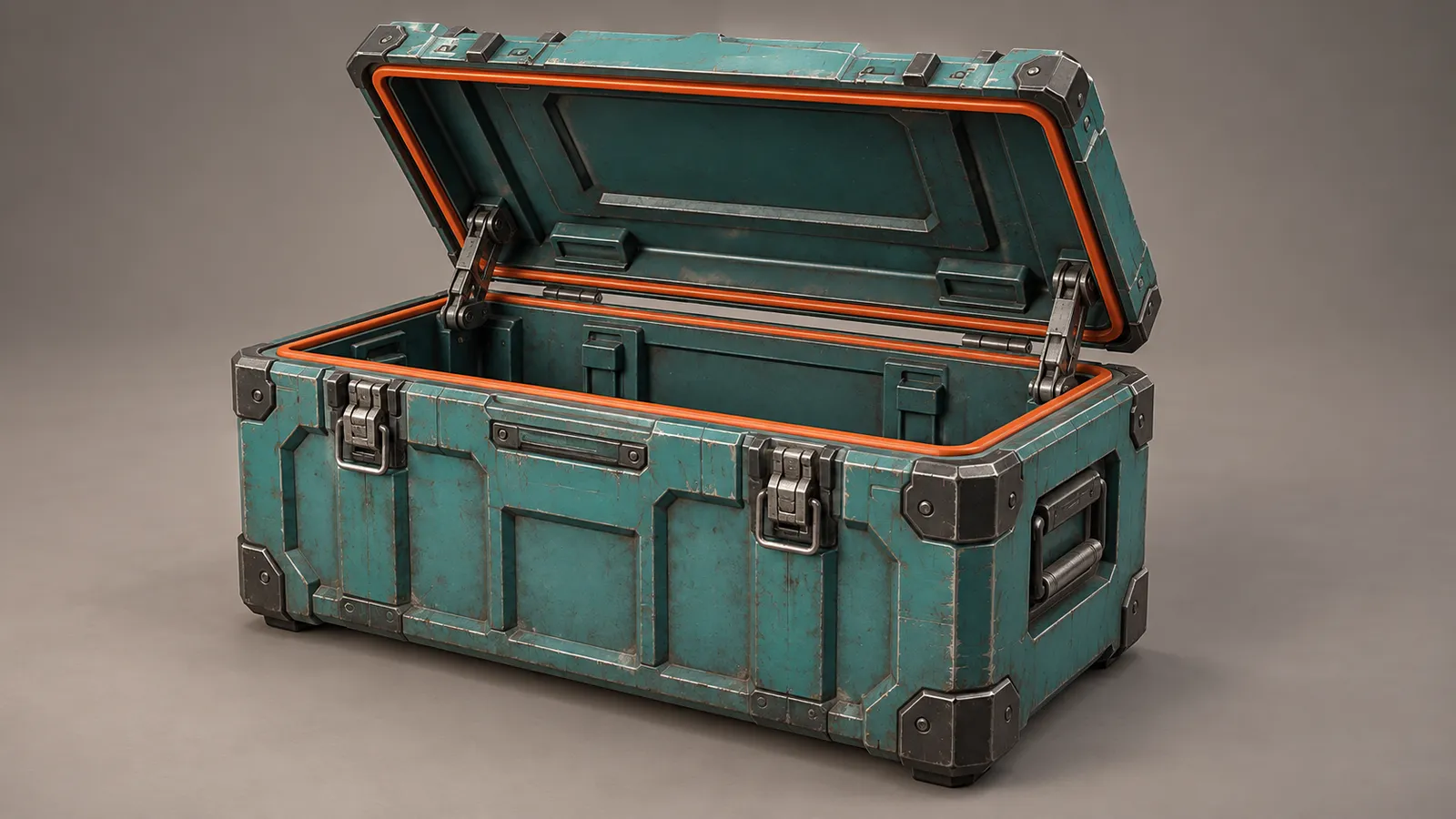
This guide is for a producer commissioning a small authored set of interactive game props. It complements our 3D modeling and animation service. It does not assume that a modeling quote includes inventory code, procedural destruction or a complete environment. For the wider supplier-and-batch decision, use the asset outsourcing guide (Arabic); here the decision is what one object must actually deliver.
Start with a state list, then count the objects
“One supply chest” can mean a static decoration, an opening container or several authored variants. Write what the player sees in each state and which parts change. A closed chest, an open chest containing supplies and an open empty chest might share a body and lid while switching their contents. Alternatively, a damaged version might require a separately authored mesh. Those are different production commitments.
Use a stable object ID and distinguish appearance from the rule that selects it. For example, the art package can provide closed, open and empty appearances; gameplay decides whether the player has permission to open the chest and whether a reward was already collected. The adventure interaction guide covers prerequisites and item chains. Approving the prop should establish that those rules have usable visual states to select.
Agree the moving parts and their pivots
List every part that moves independently: lid, handle, latch, drawer or detachable panel. Decide whether movement arrives as a supplied animation clip, is driven by integration code, or needs both. A single welded mesh can be appropriate for scenery but unsuitable when the lid must rotate independently. Do not discover that distinction after materials and details are approved.
For our hypothetical chest, the body remains still while a separate lid rotates around its rear hinge line. Agree the closed pose, open pose, maximum travel and the clearance around nearby scenery. Review from the gameplay camera as well as close up: a hinge that looks convincing in a render can still sweep the lid through a wall in the receiving scene.
Unity measures a child object's transform relative to its parent. That makes the hierarchy part of the delivery agreement: moving the chest should carry the intended parts with it. See the official Unity Transform documentation. Record the intended hierarchy and origin conventions rather than treating a model export as proof of correct movement.
Make sockets a shared attachment contract
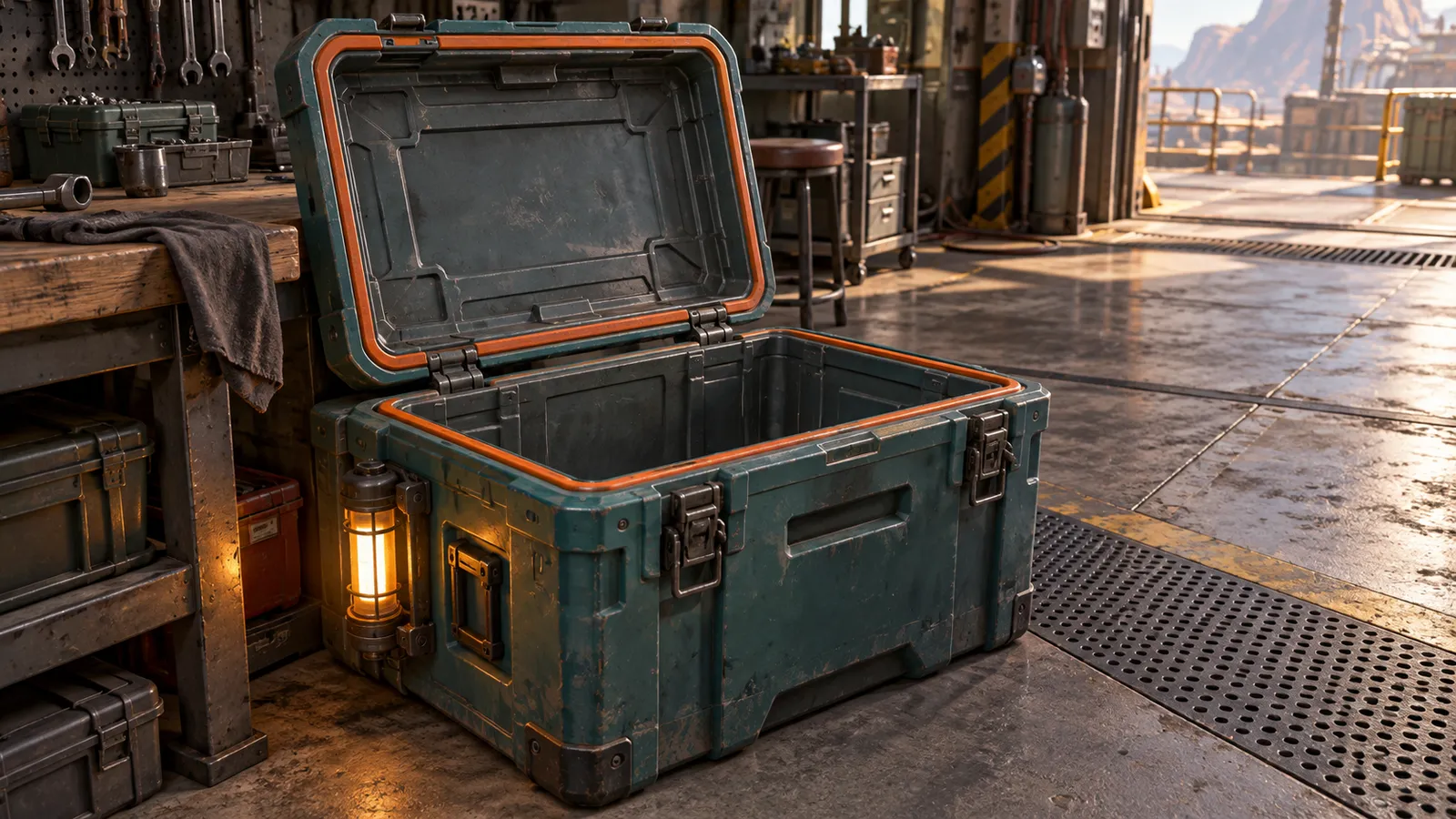
An attachment point is an agreed location and orientation for another object. If a lamp clips onto the chest, specify its mounting point, facing direction and which part owns it. A socket on the stationary body behaves differently from a socket on the moving lid. Name the marker consistently so the integrator can find it after a model revision.
Include the receiving object's scale and a representative attachment in the review scene. Check the lamp from the normal camera, open the lid and move the chest. The lamp should follow its agreed owner without floating, intersecting the lid or appearing twice. If the lamp asset itself is not part of the quote, say so; supplying its mounting marker does not automatically include modeling the lamp.
Separate visible geometry from collision responsibilities
Decide what blocks movement, what can be selected and what changes when a part opens. The visible lid, the player's selection area and the physical blocking shape need not be identical. Unity's collision overview explains that colliders define physical collision shape separately from rendered geometry.
The practical commissioning question is who supplies and updates each shape. The artist may deliver simple collision meshes, the integrator may configure the components, and gameplay may switch them when a state changes. Assign those responsibilities explicitly. A new open mesh alone does not remove an old invisible obstruction.
For the chest example, agree whether the body always blocks the player, whether the raised lid needs collision, and whether the selection region stays active after collection. Ask for a review of the closed and empty states with the agreed controller. Do not apply one universal collider choice or polygon budget to every prop; the target scene and intended interaction determine the requirements. Broader traversal and modular-kit acceptance belong to the environment production brief.
Use a small review fixture before accepting the set
The following is a proposed acceptance fixture for an illustrative chest, not a report of tests already passed. Start from a named revision in a known scene. Record observations and issue references separately from the expected result.
| Review step | Expected result to agree | Responsibility to name |
|---|---|---|
| Place the closed prop | Scale, ground contact and orientation match the scene; no detached duplicate parts. | Model export and scene integration |
| Open the lid | Lid rotates at its hinge with the agreed clearance; body remains fixed. | Moving mesh, pivot and movement driver |
| Switch to empty | Contents disappear; lid and body retain their approved state. | Authored contents and state selection |
| Move the body-mounted lamp | Attachment follows the chest body with the approved orientation. | Socket convention and attachment setup |
| Replace with the next mesh revision | Required markers and part identities still resolve; state setup is retained or migration is documented. | Export compatibility and integration review |
| Reset the sample | One closed chest, restored contents, correct colliders and no leftover attachments. | Reset implementation and acceptance reviewer |
Test a meaningful variation too. Put the chest near a wall or use a different approved attachment, then replay the relevant steps. This reveals dependencies that a single isolated render cannot show. A sample reset is distinct from persistence after closing the application; save behavior needs its own agreed scope.
Keep replacement and handover predictable
Agree what must remain stable between revisions: root orientation, dimensions, part names, hierarchy paths, material slots and socket names. If the artist needs to change those conventions, identify the integration work before replacing the asset. Renaming a lid or rebuilding the hierarchy can require the receiving team to reconnect references even when the new mesh looks almost identical.
Request editable source scenes, agreed exports, textures and materials, the state list, moving-part and socket notes, collision responsibilities and a small receiving scene where included. Name the Unity version and render pipeline for any promised engine setup. Include known limitations and third-party licenses. Source files and an FBX export are useful deliverables, but they do not automatically establish a complete interactive prefab.
Our ROADFORGE case study shows our original Unity production work with vehicles and workshop systems. It provides production context, not evidence that this hypothetical chest was built for a customer. Commission a representative prop with its own approved states before expanding the asset list.
3D prop modeling questions
What should a 3D prop modeling brief say about interactive states?
List the visible states, independently moving parts, pivots, attachment markers and required variants. Identify who selects each state, who supplies or updates collision, and how replacement and reset are accepted in the receiving scene. Distinguish a supplied animation or prefab from an art-only export.
Does a game-ready prop include its gameplay code?
Only when that work is explicitly included. Modeling, textures, animation, collision setup, prefab integration and gameplay rules are separate responsibilities that can be combined in an agreed scope. Name the required interactive result and the files or build used to accept it before comparing quotes.
Commission a prop your game can actually use
Send the object list, camera view, target platforms, visual references and required states. Include the current receiving project if available and explain what must move or attach. We can discuss a bounded 3D work package with source delivery, integration responsibilities and a reviewable first prop.
Explore 3D production services · Request an asset scope · Send the brief on WhatsApp