Commissioning changes to an existing Unity game
Game Reskinning: Define What Changes and What Must Keep Working
Commission a new appearance without leaving the original game's behavior to chance.
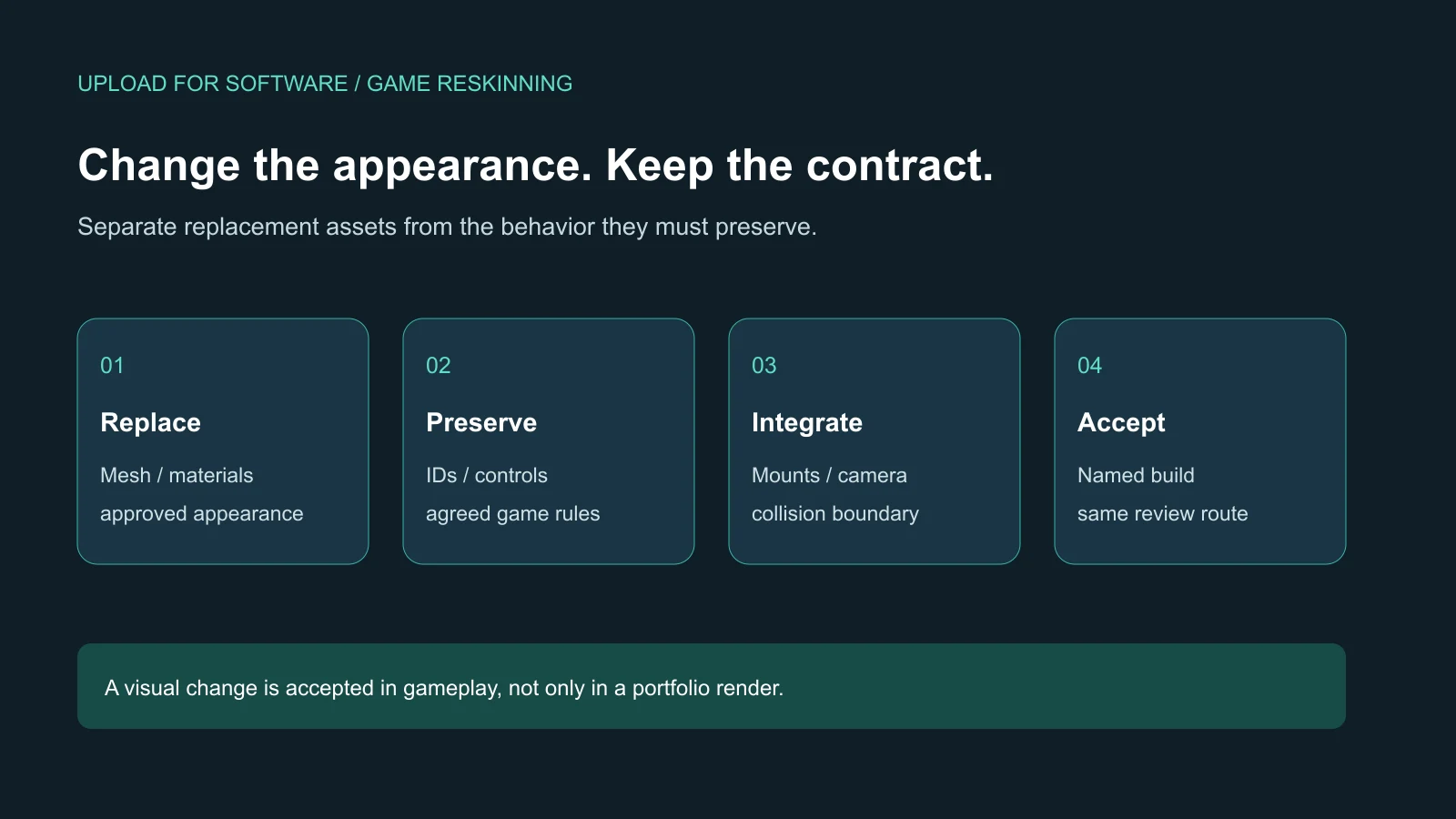
Game reskinning replaces the presentation of an existing game while preserving the behavior named in the scope. Before hiring a team, identify the source project, the assets to replace and the systems that must remain stable. Accept the result through a playable comparison build, not just a new screenshot. If a visual change also changes controls, progression or collision, that difference needs an explicit decision rather than being hidden inside an art task.
This guide is for an owner with an authorized Unity project who wants to commission a focused visual change. It is not a template catalogue, a promise of store approval or a plan to copy another developer's game. For a defined implementation package, start with our Unity game development services. If you need only new models and source art, compare that narrower scope with our 3D game art service.
Is the project ready for a visual replacement?
A running package alone is not enough. The team needs the agreed source version, its engine and package requirements, a reference build and instructions for reproducing it. Record missing dependencies and existing defects before a replacement begins. Otherwise, an old fault can be mistaken for a new one, and a missing source file can turn a small visual task into a repair project.
Prepare an inventory of the source and assets you are authorized to supply. Identify third-party items and any restrictions that need clarification before work starts. Do not send personal store credentials as part of an art brief. The deliverable may be a review build and source changes, while store-account work, publication and operational services remain separate responsibilities. A successful visual review does not promise distribution approval.
Write the unchanged behavior before describing the new look
“Keep the gameplay the same” is too broad to test. Specify which player actions, rules and saved values form the reference. For a vehicle, that might mean the same steering response, equipment selection, upgrade identity and camera framing. The artist still needs freedom to make the new shape work, but the team must know which differences are approved and which are defects.
Give every changed asset a row in a replacement list. Include its current role, the new visual reference, the systems that use it and the reviewer responsible for acceptance. Separate the model's appearance from the implementation object that carries controls, collision and progression. Do not assume that replacing one visible mesh means the whole connected object should be rebuilt.
| Element | Replace or preserve? | Evidence to request |
|---|---|---|
| Body mesh and materials | Replace to the approved visual reference | Same camera views and in-game lighting |
| Equipment and save identifiers | Preserve unless a migration is scoped | Existing selection resolves to the intended new visual |
| Weapon attachment points | Preserve their functional contract | Mounted parts follow movement and aiming |
| Collision boundary | Keep agreed behavior; review visual fit | The same obstacle route gives the expected result |
| Controls and progression | Preserve baseline rules | Movement, upgrades and continuation in a named build |
Approve one integrated replacement before expanding the list
Choose an asset that exposes the project's risks. A model with mounted parts, a rotating preview and a saved equipment choice is more informative than a background prop that never interacts with anything. Agree what the pilot includes and how its source files will be delivered. Review the new asset in its actual destination before ordering the rest of the set.
The pilot should answer practical questions: does the silhouette remain readable at the supported camera distance; are materials complete; do attached objects stay aligned; does the new shape fit the intended collision boundary; and can the reference action still finish? These are project-specific checks, not universal polygon limits. If the first sample needs a change to the underlying mechanics, stop and agree the effect on scope before multiplying it.
Our ROADFORGE case study shows connected mobile driving, equipment previews, progression and visual feedback in a Unity production. It is evidence of integration context, not a claim that every commissioned reskin has already been tested. A new project still needs its own baseline, device scope and acceptance record.
Look beyond the mesh: attachments, animation and UI
A replacement can look correct in a static view and fail when used. Moving a pivot may shift a rotating preview. Changing proportions may put a weapon inside the body or obscure a warning. A different animation setup may no longer produce the poses the existing interaction expects. Assign responsibility for these connected changes instead of leaving them between the art and engineering quotes.
Review the interface as part of the new presentation. Equipment thumbnails, selection states, labels and previews should identify the same item as the live game. If the new visual creates a different readable size, adjust its presentation deliberately and record the decision. That is different from silently changing touch targets or camera behavior across unrelated screens.
Run a comparison that another reviewer can repeat
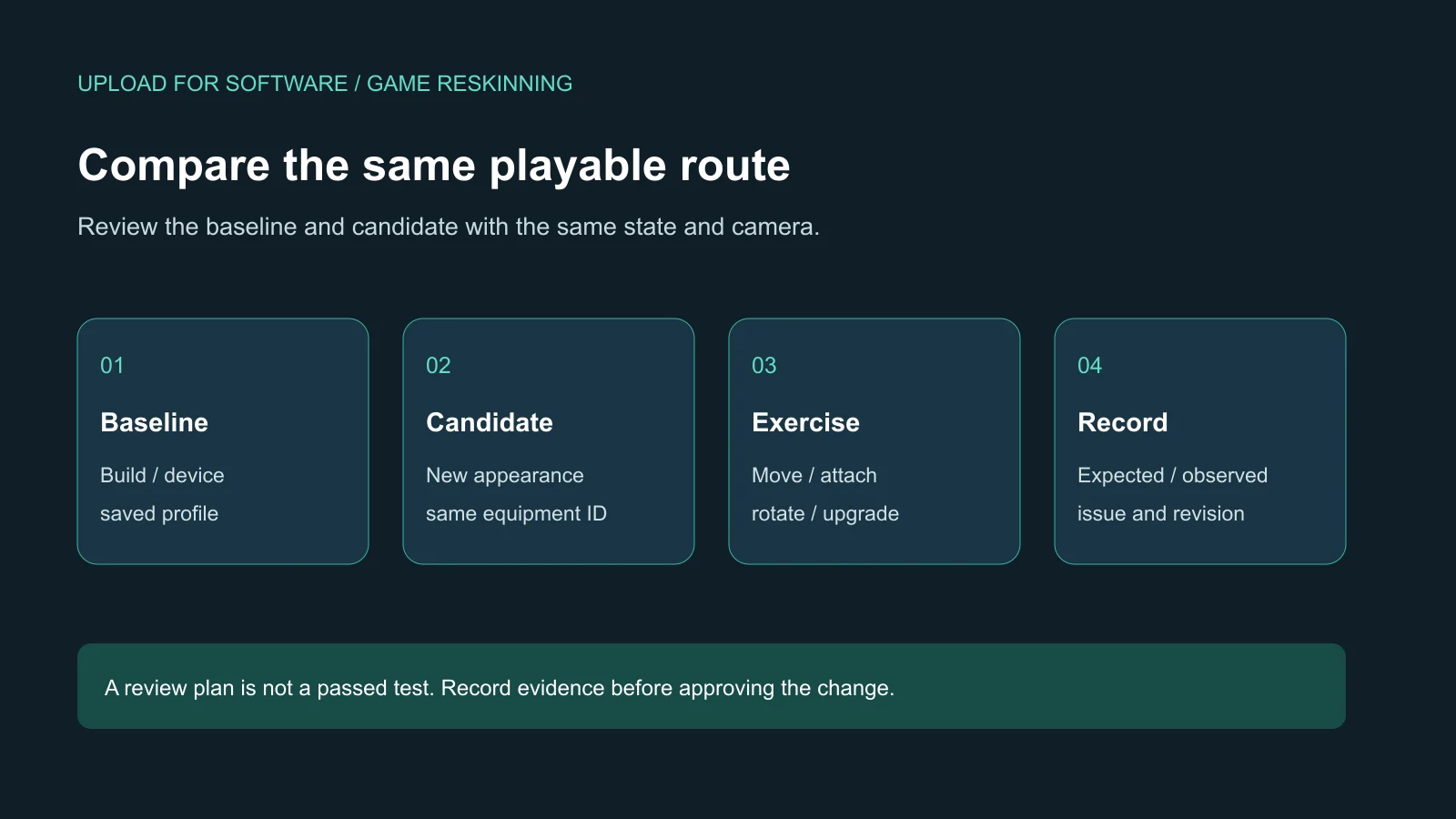
Name the baseline build and the candidate build. Use the same intended device, quality settings, camera and review route. Start from an agreed profile or representative state. Describe the expected outcome of each action, then record the observed result separately. Do not write “passed” because a task is marked complete in a production board.
For a hypothetical armored-vehicle replacement, the route could open an existing equipment selection, rotate the preview, enter a mission, steer past a known obstacle, trigger an attached weapon and return to the workshop. The expected outcome is stable selection and behavior with the approved appearance. Those are proposed checks, not results from a test performed for this guide. Your game's actual risk list determines which cases matter.
Keep comparison images in the same view so a changed camera does not conceal a changed scale. Add short recordings when movement explains a defect better than a still image. Record limitations honestly: a preview check is not a full campaign regression, and one device is not coverage of all Android and iOS hardware.
Classify differences before requesting another revision
Each review note should name the asset, build, action and expected result. A missing material that was listed in the approved package is a correction. A new art direction after the sample was approved is a change request. An unexpected need to redesign collision is an integration decision. This distinction helps both sides understand what needs fixing and what needs a new estimate.
Collect feedback through one approval owner. Conflicting comments from different stakeholders should become a single resolved decision before work restarts. Keep the approved reference attached to that decision. A revision should address a specific issue rather than reset the entire direction whenever somebody sees a new reference image.
Ask for a handover that preserves the next update
Request the agreed source art, exported assets, Unity changes, replacement map and build instructions. Identify which old resources remain and why. Keep a recoverable baseline and a clear record of the accepted revision; do not delete the old implementation simply because the new one is visible. The next developer should be able to locate the new appearance without reverse-engineering a folder full of unnamed copies.
Use our game project handover checklist, in Arabic for the broader source and access discussion. A focused reskin handover should explain its own changed files, reference state and known limitations. Additional platforms, new mechanics, monetization changes and long-term maintenance belong in explicitly agreed work packages.
Commission a scoped visual change
Send the authorized source version, a reference build, the assets you want changed, the intended visual direction and the behavior that must stay stable. Include target platforms, available source art and the result you expect from the first integrated sample. We can review the project's condition and propose a work package with acceptance evidence before quoting implementation.
Discuss your Unity project · Discuss the scope on WhatsApp
Questions before commissioning game reskinning
What should a game reskinning scope keep unchanged?
Specify the controls, rules, saved identifiers, equipment state and attachment behavior that must match the reference build. List approved exceptions separately so a visual replacement does not silently become a gameplay redesign.
How is game reskinning accepted inside Unity?
Compare a named candidate build with its baseline using the same state, camera and playable route. Review appearance and connected behavior, record expected and observed results, and deliver the agreed source changes with known limitations.