Unity production · Audio systems
Game Audio Implementation: What to Commission and Accept in a Unity Build
A folder of good sounds is not an integrated audio system. Define the events, priorities, controls and cleanup that make those sounds belong to the game.
Game audio implementation connects approved sound assets to the behavior of a playable game. It covers which event starts a sound, where it is heard, how it overlaps other sounds, which controls affect it and what stops it. For a buyer commissioning Unity development, the acceptance artifact is that behavior in a named build—not an impressive playlist or a count of imported files.
Sound creation and implementation are related but separate scopes. Music composition, voice recording, original sound design and rights clearance should be agreed explicitly. Implementing an approved or properly licensed library does not imply that the development team is composing a soundtrack. Our Unity game development service can scope connected game systems; the audio responsibilities must fit the actual production agreement.
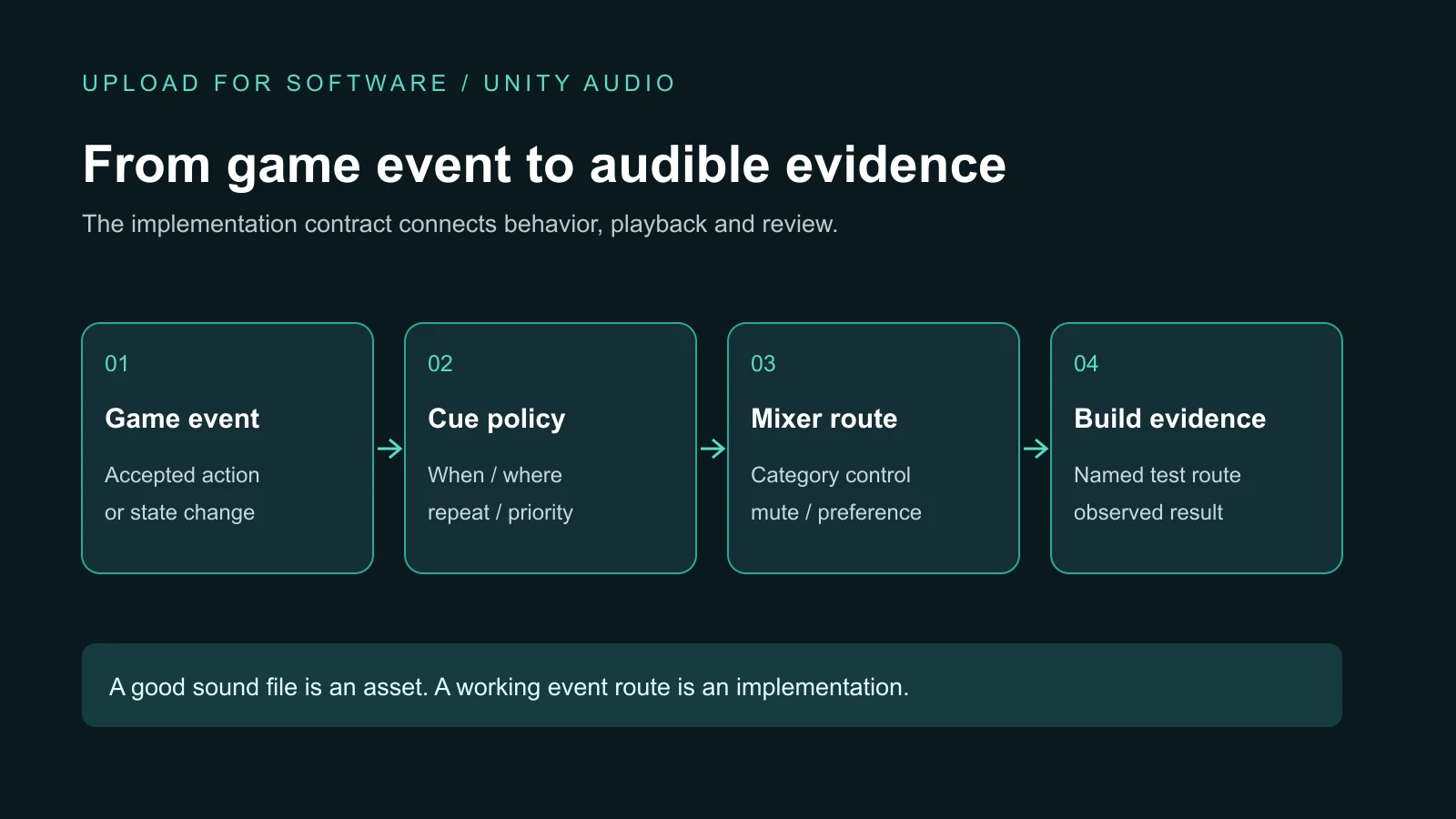
Start with an event contract, not a sound shopping list
Describe the player information each cue communicates. A successful purchase, unavailable action, incoming threat and mission result should not all be filed under “UI sound.” Give the event a stable meaning so that replacing an asset does not accidentally change when it fires. The game design document owns the intended rule; the audio contract explains how its feedback is delivered.
For each event, identify the start condition, location, repetitions, stop condition, priority and fallback. Say whether the sound is attached to a world object or intended to remain consistent in the interface. Record unresolved decisions rather than letting different programmers invent incompatible behavior.
| Event | Playback decision | Acceptance route |
|---|---|---|
| Action accepted | One interface cue after the game accepts the action, not on every attempted press. | Repeat valid and invalid input; check that feedback matches the actual outcome. |
| Engine active | A continuous loop owned by the active vehicle; stop when its owner leaves play. | Activate, switch, disable and return; listen for an orphaned or duplicate loop. |
| Threat warning | An agreed priority and repetition limit; retain a visible warning when muted. | Trigger the warning during dense combat and with sound disabled. |
| Mission ended | A result cue linked to the resolved state, not a repeatedly updated screen. | Wait, reopen the result screen and retry; check the agreed repetition rule. |
This table is an illustrative contract, not a report of tests already performed. Its purpose is to make disagreements visible before implementation. If the buyer expects an engine loop to continue through a pause menu while the developer expects complete silence, that is a design decision to resolve—not merely an audio defect to debate at delivery.
Give continuous sounds an owner and an ending
One-shot sounds finish naturally, but continuous loops need a lifecycle. An engine, moving support unit or environmental emitter can disappear, change state, return to a pool or leave a scene. Its sound should not survive simply because the playback source still exists. Define who owns each loop, how that ownership is renewed and which transitions stop it.
A hypothetical support vehicle illustrates the problem. Summoning it starts the agreed engine loop. Switching the camera may change its presentation, but does not automatically create a second engine. Returning the unit to an inactive pool ends its ownership. Reusing the same object for another encounter must start from a clean state, without carrying the old sound or position forward.
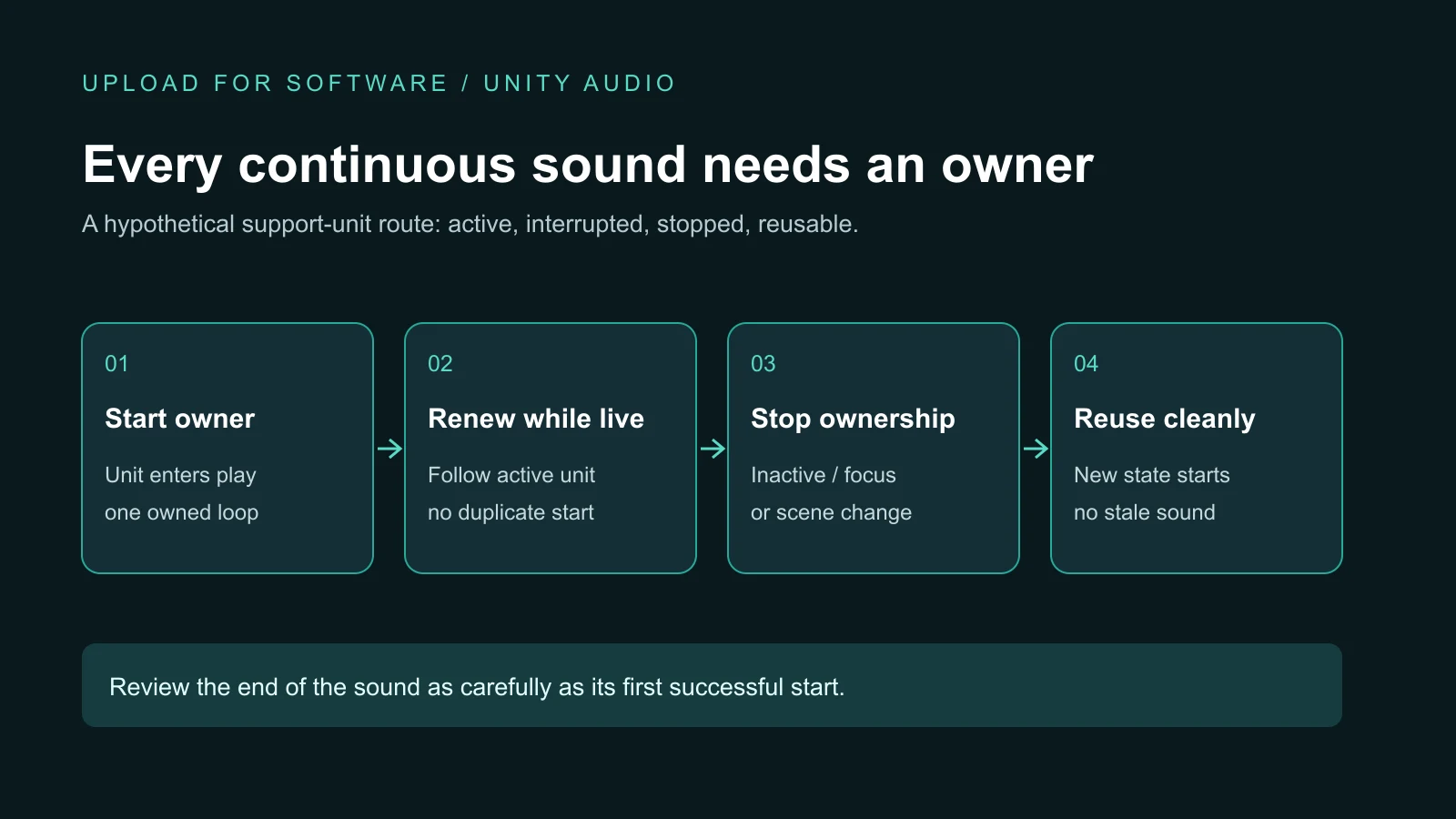
Review the route across pause, application focus, scene transitions and relevant advertising interruptions. The correct response depends on the product and platform; do not assume all audio should continue or all audio should stop. Interface feedback may remain useful while gameplay is paused. Essential information also needs another channel so muting the game does not remove a required instruction.
Separate playback from routing and player controls
Unity’s AudioSource component plays a clip in a scene. Its Audio Mixer organizes audio groups and their effects. Those tools support the implementation, but they do not decide which events belong in your product or what the player’s controls promise.
Agree useful categories such as music, interface, effects and speech, then define the controls the game actually offers. A master mute and separate music control should not leave an unexpected category audible. Saved preferences should behave consistently after returning to the menu or reopening the application. If a setting is intentionally session-only, make that boundary explicit.
For spatial sound, test the intended camera and listener route, not only the sound next to its emitter. A change from driving to a support view can change what the player hears. Compare the agreed near and distant behavior and whether critical warnings remain understandable. Avoid treating a technically playing source as proof that the feedback is useful.
Decide what wins when the scene becomes crowded
Many individual effects can sound fine and become unreadable together. Define which cues matter during a dense encounter, which can be limited and what happens when the playback budget is full. Repetition limits, variations and bounded reusable sources are possible implementation choices; the acceptable result still needs an agreed listening route.
A short click should not trigger endlessly because a button remains selected. A warning should not vanish under distant ambience without a conscious priority decision. Missing event mappings should produce a detectable issue for the team rather than silently substituting an unrelated old sound. Ask for a list of missing cues and known exceptions alongside the build.
Treat import settings as a measured tradeoff
Audio files affect memory, loading, playback cost and application size. Unity’s Audio Clip import reference distinguishes loading and compression options and platform overrides. A short frequent effect and a long music track need not use the same configuration. Select settings against the target build and check their consequences instead of applying one preset to every asset.
Request a bounded device route covering first playback, repeated use, a crowded scene and a transition. Record the build, device, settings and relevant measurements. A smaller file alone is not proof that the game uses less runtime memory or has no audible degradation. An editor preview is useful for checking an asset, but does not establish mobile behavior.
What our ROADFORGE implementation demonstrates
Our ROADFORGE Unity project connects driving, support units, progression and interface feedback. Its audio implementation separates semantic events from the selected clips, routes categories and uses bounded reusable playback sources. Continuous loops are associated with active owners, with cleanup on owner loss, scene changes and application focus loss.
That architecture is a practical example, not a claim that another game needs identical limits or that every device has passed an audio benchmark. A new engagement needs its own assets, priorities, supported platforms and acceptance evidence. We do not infer music-composition or voice-production services from this implementation.
Accept a system route, then document the handover
Before approval, identify a build and follow the event contract through valid input, unavailable input, repetition, dense overlap, mute, pause, focus loss and scene return. Include continuous emitters becoming inactive and being reused. Record the expected and observed behavior, unresolved cues and the scope of device coverage.
The Arabic mobile-game release checklist covers the broader release gate; this guide owns the focused audio contract. Keep the mapping table, category controls, import decisions, permitted asset sources and known issues with the game source handover. Do not redistribute third-party sounds beyond their licenses or put account credentials into the source package.
Game audio implementation questions
What does game audio implementation include?
It includes mapping approved sound assets to game events, defining playback and stop conditions, routing player controls, handling interruptions and proving those behaviors in a build. Sound creation, music composition, voice recording and licensing are separate responsibilities that must be agreed explicitly.
How should game audio implementation be accepted?
Use a named build and agreed event routes to check valid and invalid actions, rapid overlap, mute, pause, focus changes, scene transitions and continuous-loop cleanup. Record missing cues, device coverage, performance boundaries and remaining issues; importing files or hearing a single sound is not sufficient acceptance evidence.
Scope the audio behavior your game needs
Send your game concept or current Unity project, target platforms, available sound assets and the events that need feedback. We can discuss an implementation scope, reviewable build and source handover without bundling unrequested recording or composition work.
Explore game development services · Discuss your game · Send the brief on WhatsApp